Advanced QuickBooks for Accounting Professionals
About This Course
Advanced QuickBooks for Accounting Professionals is a practical, in-depth course designed for accountants and finance professionals who want to master advanced QuickBooks features. The course covers complex transactions, bank reconciliation, payroll, inventory, financial reporting, and real-world problem solving. By the end of the course, learners will confidently manage professional-level accounting tasks, generate accurate financial reports, and apply QuickBooks efficiently in real business environments.
Learning Objectives
Understand QuickBooks versions and select the right setup for different businesses
Create and manage company files securely
Set up users and control access permissions
Enter and manage opening balances accurately
Record cash and bank balances correctly
Set up and manage fixed assets in QuickBooks
Handle accounts receivable and accounts payable efficiently
Manage inventory and track stock movements
Maintain accurate accounting records using best practices
Generate reliable financial reports for decision-making
Material Includes
- Participants in the Advanced QuickBooks for Accounting Professionals course will receive:
- Comprehensive Course Workbook – Step-by-step exercises and detailed explanations.
- QuickBooks Practice Files – Realistic company data for hands-on practice.
- Video Tutorials – Recorded demonstrations of advanced features and functions.
- Cheat Sheets & Quick Reference Guides – Summaries of shortcuts, formulas, and workflows.
- Case Studies & Scenario Exercises – Real-world accounting scenarios to apply advanced skills.
- Access to Online Resources – Downloadable templates, forms, and additional learning materials.
- Certificate of Completion – Official recognition upon successfully completing the course.
Requirements
- Basic accounting knowledge and familiarity with QuickBooks
- Computer with QuickBooks, Excel, and internet access
- Follow modules sequentially, complete exercises, and apply skills to real-world scenarios
Target Audience
- This course is designed for:
- Accounting and finance professionals
- Practicing accountants and bookkeepers
- Finance officers and accounts assistants
- Business owners managing their own accounts
- Graduates and students in accounting, finance, or business
- Anyone with basic QuickBooks knowledge who wants to advance their skills
Curriculum
48 Lessons
Getting Started
Versions overview3:05
Installing quick book6:46
Setting up a new company file6:16
Creating users and their passwords3:13
Entering Opening Balances in QuickBooks
Working with the Chart of Accounts
Creating and deleting and Inactivating New Customer and Vendor
Understanding between Accounts and Items
Creating Credit and Cash Sales
Purchase order and Billing
Recording company expenses
Deposits and withdrawal
Creating Cand Assigning transactions to Classes and Generating Reports
Creating budget
Creating fixed asset
Introduction to financial Report
Company Backups and Date Lock
Set up for downloading
QuickBooks Set up for students use
Your Instructors

micraaj2026@gmail.com
See more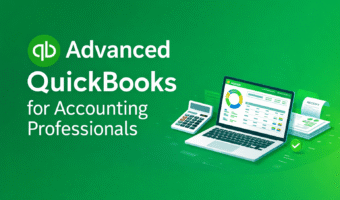
$15.00
Material Includes
- Participants in the Advanced QuickBooks for Accounting Professionals course will receive:
- Comprehensive Course Workbook – Step-by-step exercises and detailed explanations.
- QuickBooks Practice Files – Realistic company data for hands-on practice.
- Video Tutorials – Recorded demonstrations of advanced features and functions.
- Cheat Sheets & Quick Reference Guides – Summaries of shortcuts, formulas, and workflows.
- Case Studies & Scenario Exercises – Real-world accounting scenarios to apply advanced skills.
- Access to Online Resources – Downloadable templates, forms, and additional learning materials.
- Certificate of Completion – Official recognition upon successfully completing the course.