Sorry, we can not find any courses for this search.
You may want to check Our Hot Courses:
Principle of Accounting
What you'll learn
Principles of Accounting is an introductory course that provides a strong foundation in the concepts, principles, and practices used to record, classify, summarize, and interpret financial transactions.
The course explains how accounting information is prepared and used to understand the financial performance and position of a business. Learners will develop practical skills in journal entries, ledgers, trial balances, financial statements, assets, liabilities, equity, revenue, and expenses.
Key Topics
Introduction to Accounting
Accounting Concepts and Principles
The Accounting Equation
Types of Accounts
Debit and Credit Rules
Journal Entries
General Ledger
Trial Balance
Cash and Bank Transactions
Accounts Receivable and Payable
Inventory Accounting
Adjusting Entries
Depreciation
Financial Statements
Closing Entries
Basic Financial Analysis
Accounting Ethics and Internal Controls
Excel Basic Functions and Formulas
What you'll learn
Understand and use essential Excel formulas with confidence
Calculate percentages, increases, decreases, and original values
Split and combine text using key text functions
Analyze data using COUNT, COUNTA, COUNTBLANK, and COUNTIF
Work with dates: calculate age, convert text to dates, and use date functions
Use shortcuts like AutoSum and show-all-formulas to work faster
Clean, organize, and prepare data for reporting and analysis
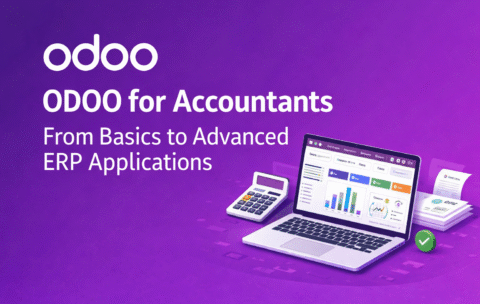
ODOO for Accountants: From Basics to Advanced ERP Applications
What you'll learn
By the end of this course, you will be able to:
Understand the ODOO interface and core modules
Set up company data and configure accounting settings
Record daily transactions (sales, purchases, expenses)
Manage accounts payable and receivable
Perform bank reconciliation and financial reporting
Integrate accounting with inventory, sales, and procurement
Generate key financial reports (P&L, Balance Sheet, Cash Flow)
Customize workflows and automate business processes in ODOO
Advanced QuickBooks for Accounting Professionals
What you'll learn
Understand QuickBooks versions and select the right setup for different businesses
Create and manage company files securely
Set up users and control access permissions
Enter and manage opening balances accurately
Record cash and bank balances correctly
Set up and manage fixed assets in QuickBooks
Handle accounts receivable and accounts payable efficiently
Manage inventory and track stock movements
Maintain accurate accounting records using best practices
Generate reliable financial reports for decision-making